Musebox Quick Tutorial
Musebox is the fastest way to capture, organize, and revisit your music ideas.
In this quick tutorial we'll learn how to use the key features like:
- One-tap recording
- Organize files into folders
- Set priorities to easily find you best ideas
- iCloud sync for backup
- Import or export files
How to use Musebox (in practice)
Musebox works best when you follow a simple loop:
- Record ideas as soon as they appear
- Don’t stop to organize — keep recording
- Later, rate and group the ideas worth keeping
- Come back to your best ideas when you’re ready to write
You don’t need to organize everything. Just enough to find the good stuff later.
Let's learn how!
Recording a New Idea
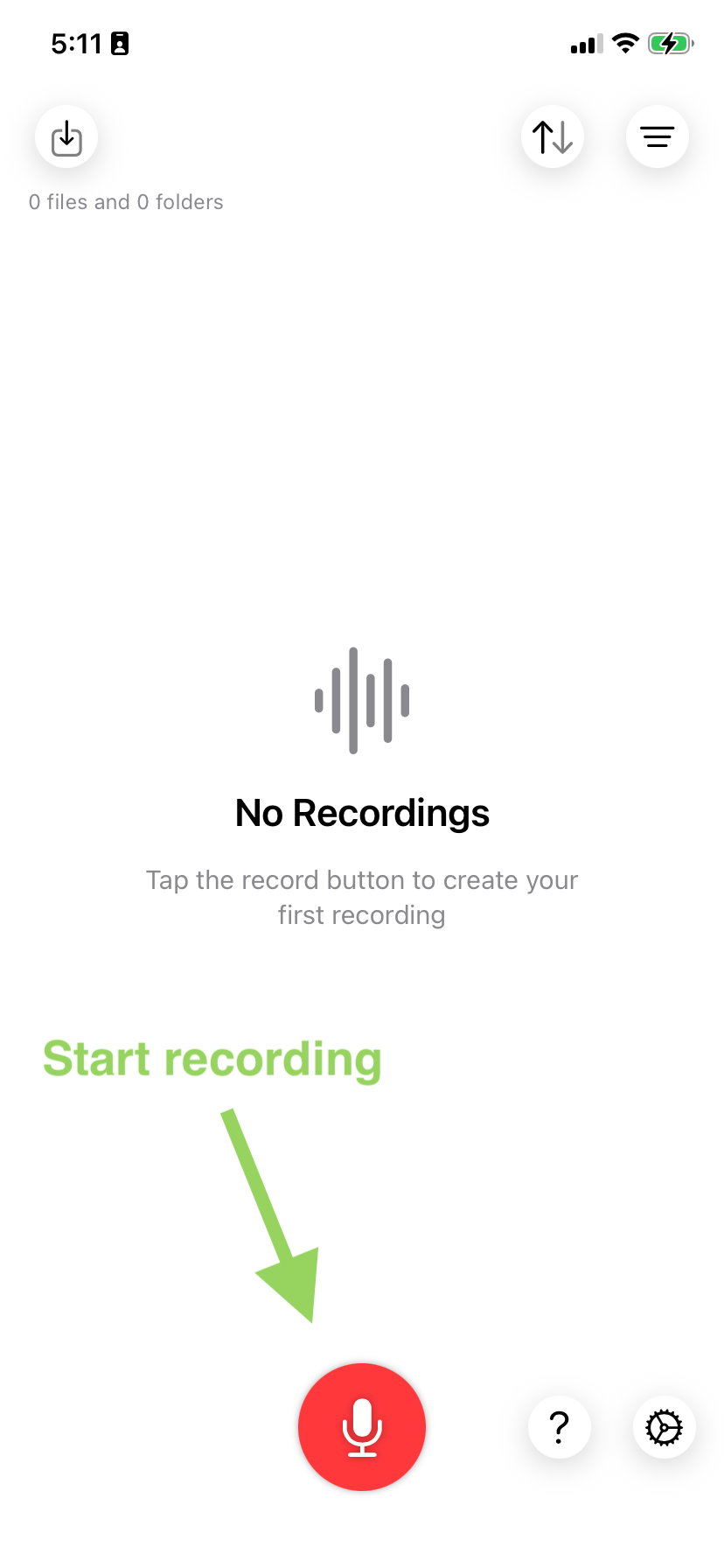
Tap the big red Record button at the bottom! Recording starts immediately.
The app gives your files a random name so you can distinguish them easily (beats "new song 1", "new song 2", etc) - you can always rename them later if you want.
Organizing with Folders
You can easily move your files into folders.
Create folders for songs, moods, or whatever works for you.
Tip: press and hold a file card to quickly access the folder options.
Marking good ideas
The biggest issue musicians have with voice recording apps is figuring out what ideas to work on next.
By adding a priority (1 to 5), you can quickly surface the ideas worth developing — without listening to everything again.
Finding good ideas
Eventually you'll have hundreds of files and folders in Musebox.
Use the sort and filter options to locate high priority ideas, most recent ideas, etc, when you need them.
Importing ideas
If you've got ideas stored elsewhere in your phone you can import them into Musebox.
Just press the import button and select the audio files from your phone or iCloud.
Sharing ideas
If you want to export a recording you can press and hold and you'll find the "Share" button.
Then you can share the file with other apps or Airdrop.
Common questions
Where are my recordings stored?
Recordings are stored on your device and synced via iCloud. Only you can access them.
Do I need to organize everything?
No. Most users only rate or organize the ideas that feel promising.
More questions? Need help?
If you need assistance with Musebox or have a question you can get in touch with us.